How to Organise Inventory Records in a Small Business
A simple routine for keeping item records accurate without extra admin.
Read article →Inventory & item-record software · One-time packages · Digital delivery
Inventory & Item Record Management Software
ItemLedger helps small businesses organise products and equipment, maintain quantities, assign categories, track stock changes and keep inventory information clearer.
View Software PackagesExplore Features
Operated by Sagar Kaliraj · Independent UK sole trader
Clear limits
Limits are published before purchase, so you can match a package to what your business holds.
The everyday problem
Small businesses often manage item information across spreadsheets, notes, messages and separate documents. Quantities become harder to follow, storage locations can be unclear and stock changes may not be recorded consistently. ItemLedger provides a more structured way to maintain these records.
Details sit across spreadsheets, notebooks and messages.
Nobody is quite sure how many of an item are left.
Additions and removals happen without being written down.
Items move between shelves, rooms and vehicles without a record.
The same item appears twice with different details.
Working out what changed means digging through old notes.
Core benefits
Tools are included according to the package you choose.
Each item has a name, reference, category and status.
Keep current quantities easier to follow.
Group items in a way that fits your business.
Record where items are stored.
Log additions and removals with a reason.
Keep useful details with the item.
See what changed and when.
Find a record by name or reference.
Show in-stock, low-stock or archived items.
See totals by status, category and location.
Export data where your package includes it.
Team options on higher packages.
Product preview
Interface previews are illustrative and may vary according to the selected package and delivered software version.
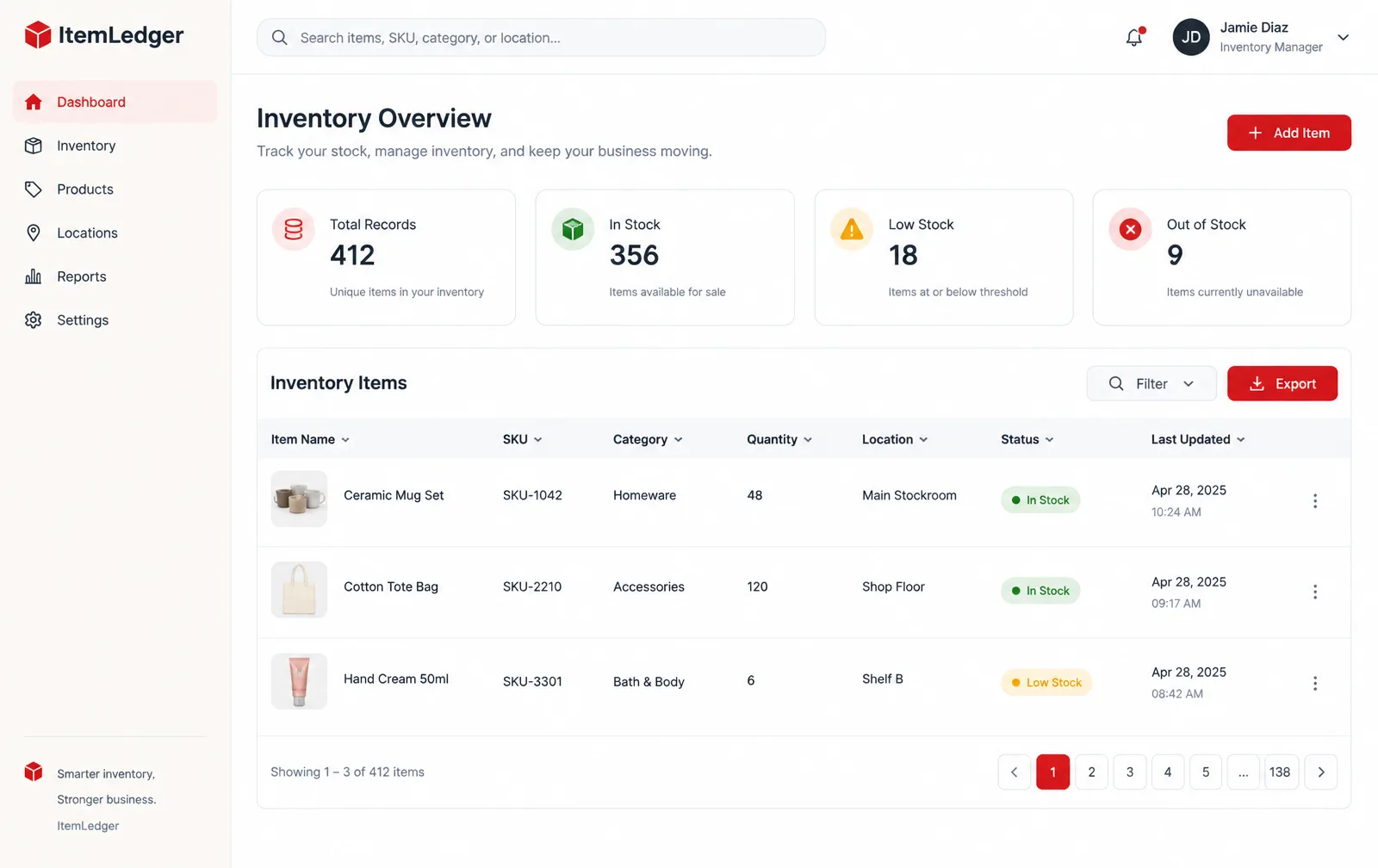
Item list with quantities, categories, locations, statuses and last-updated dates.
Illustrative software preview · fictional demonstration data
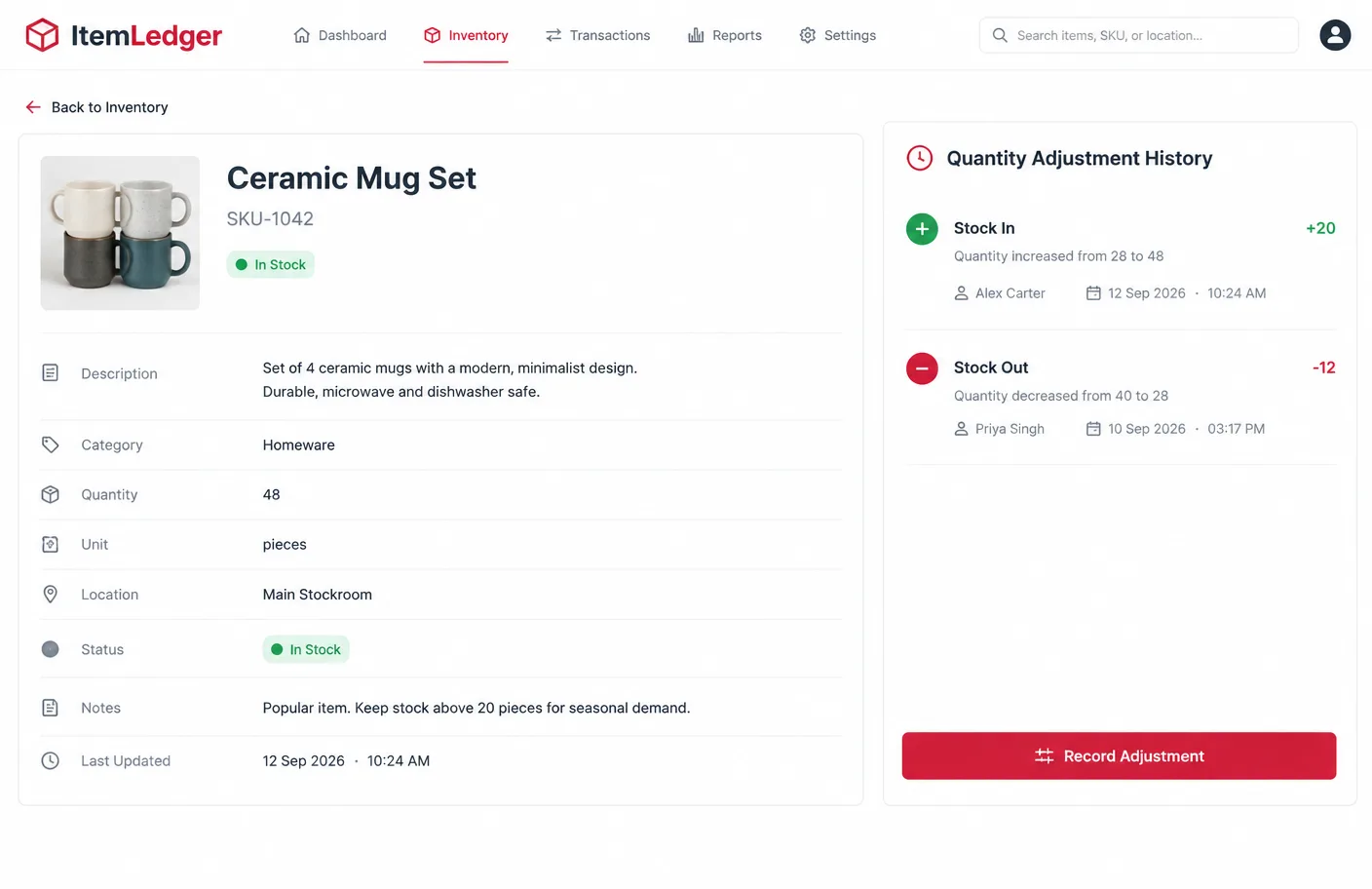
One item with its description, quantity, unit, location, status, notes and adjustment history.
Illustrative software preview · fictional demonstration data
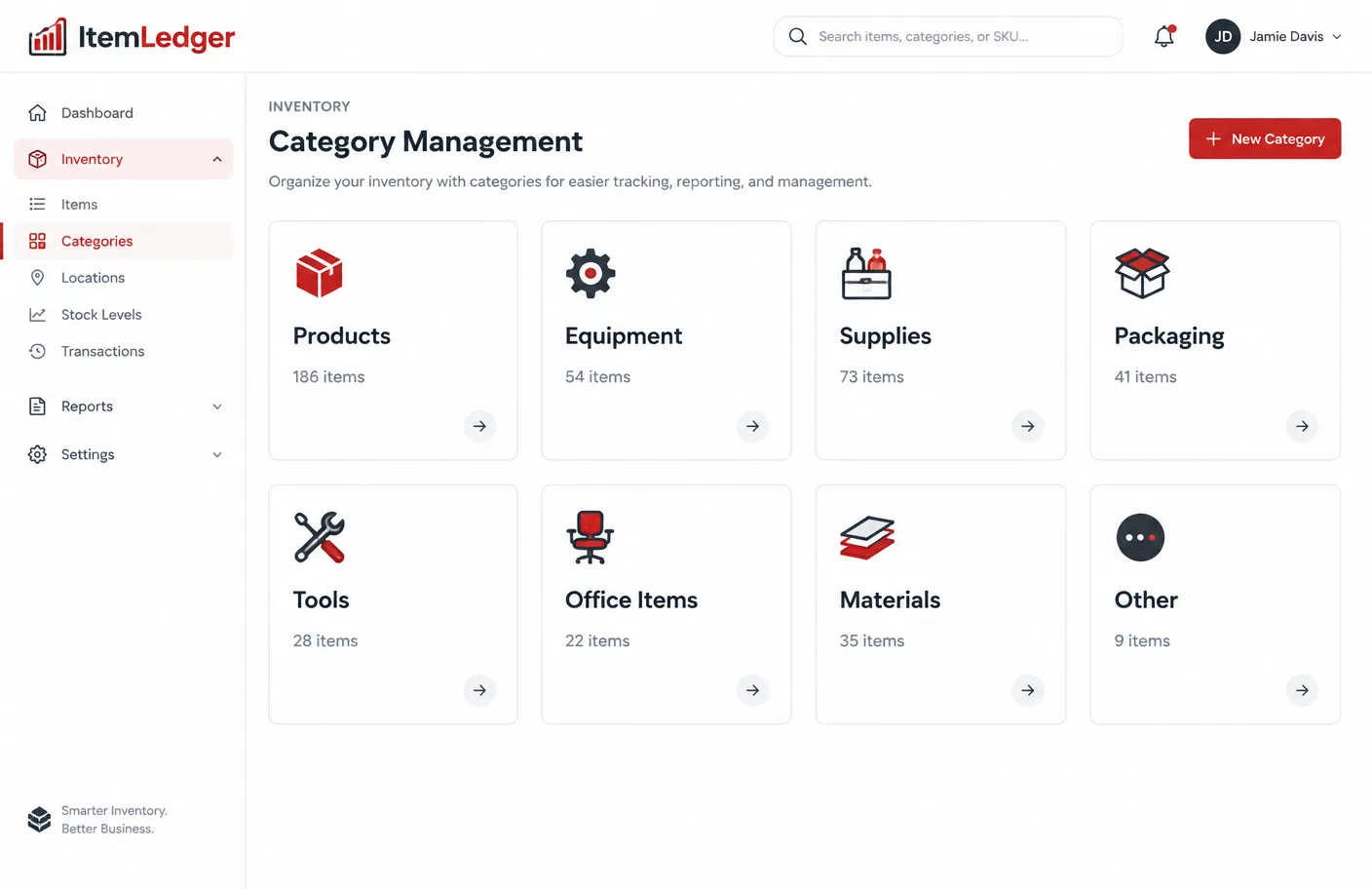
Products, equipment, supplies, packaging, tools and other groups with item counts.
Illustrative software preview · fictional demonstration data
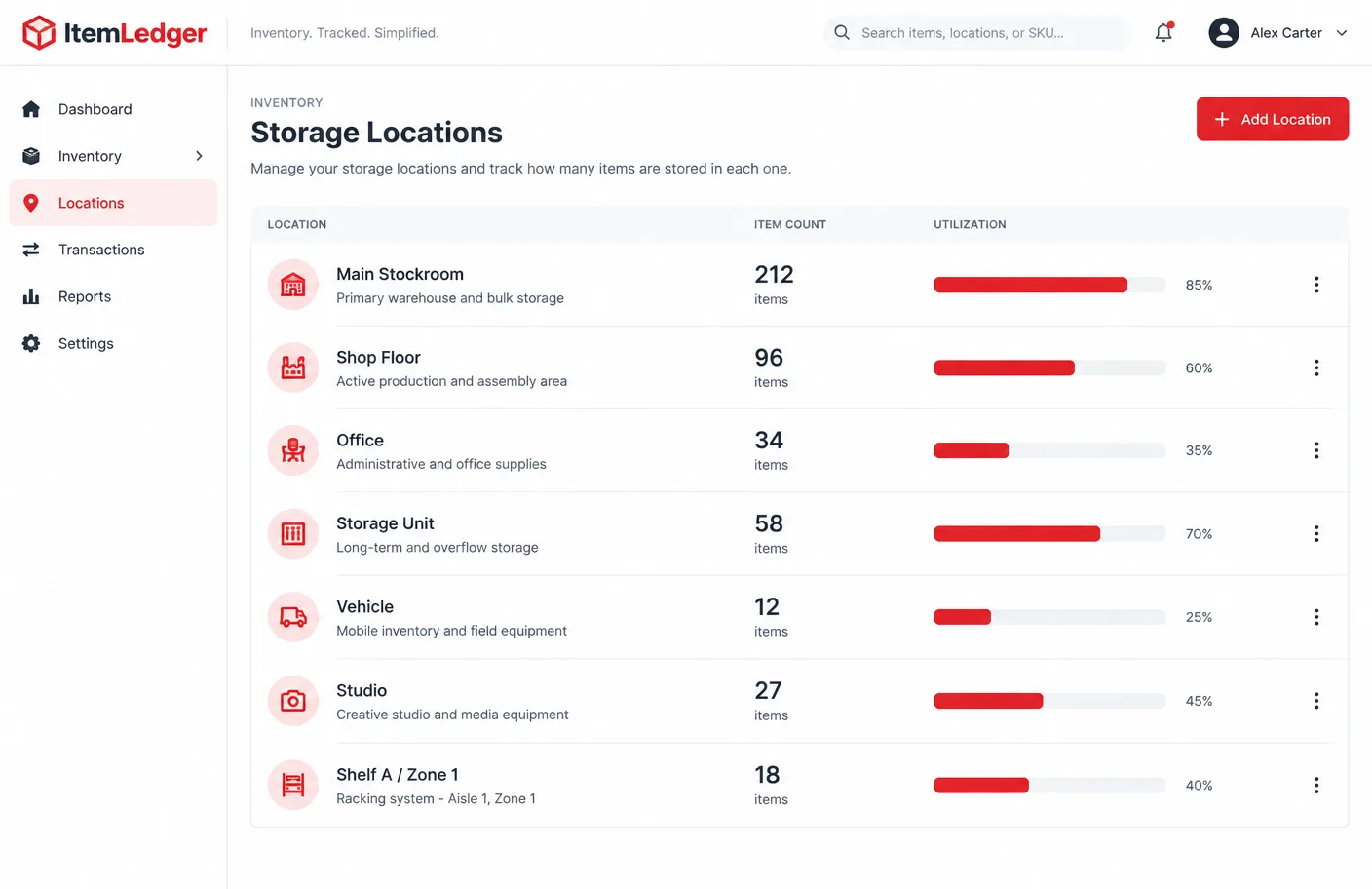
Stockrooms, shop floors, offices, storage units and shelves with item counts.
Illustrative software preview · fictional demonstration data
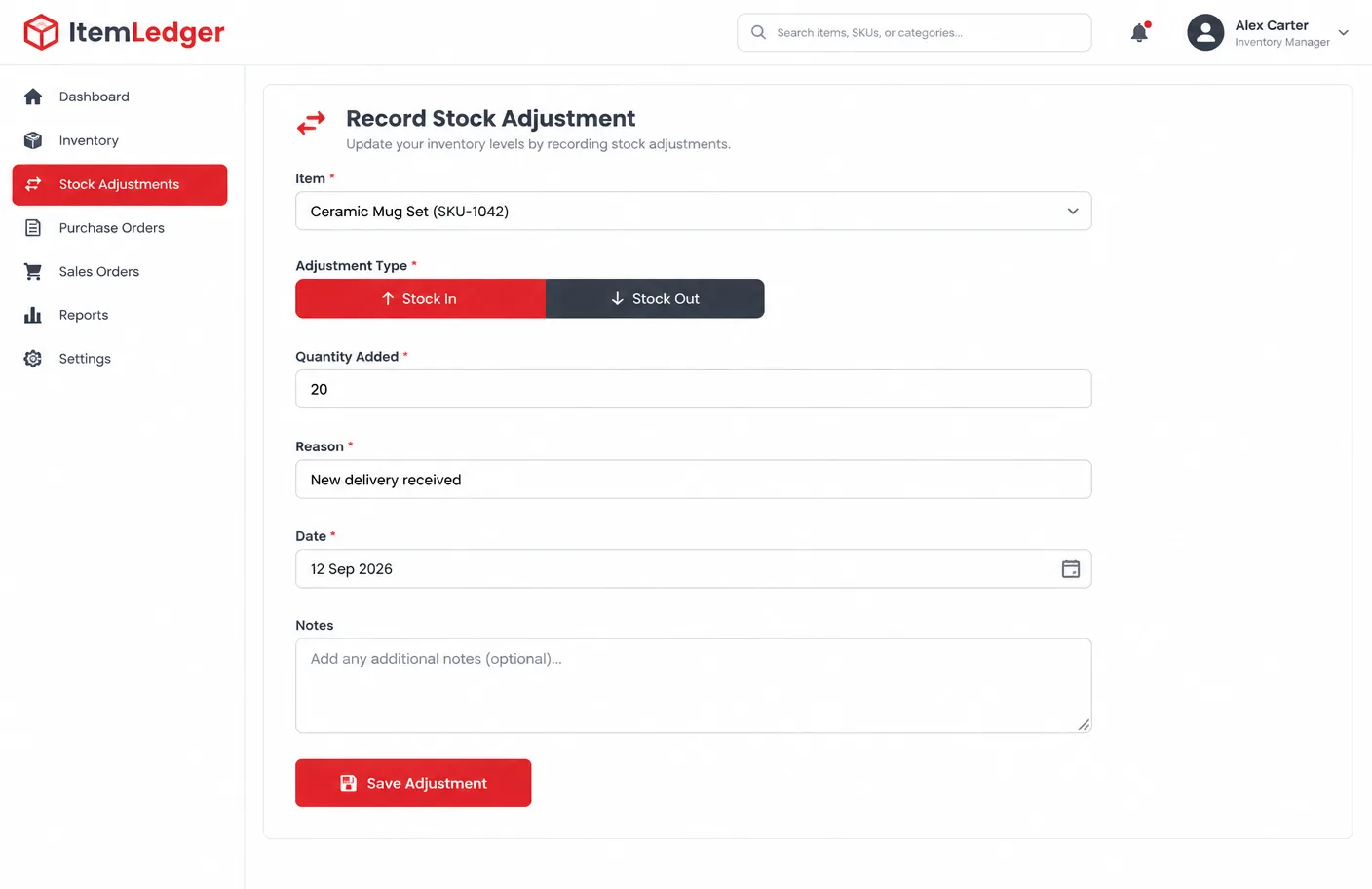
A stock adjustment panel for recording additions and removals with a reason and date.
Illustrative software preview · fictional demonstration data
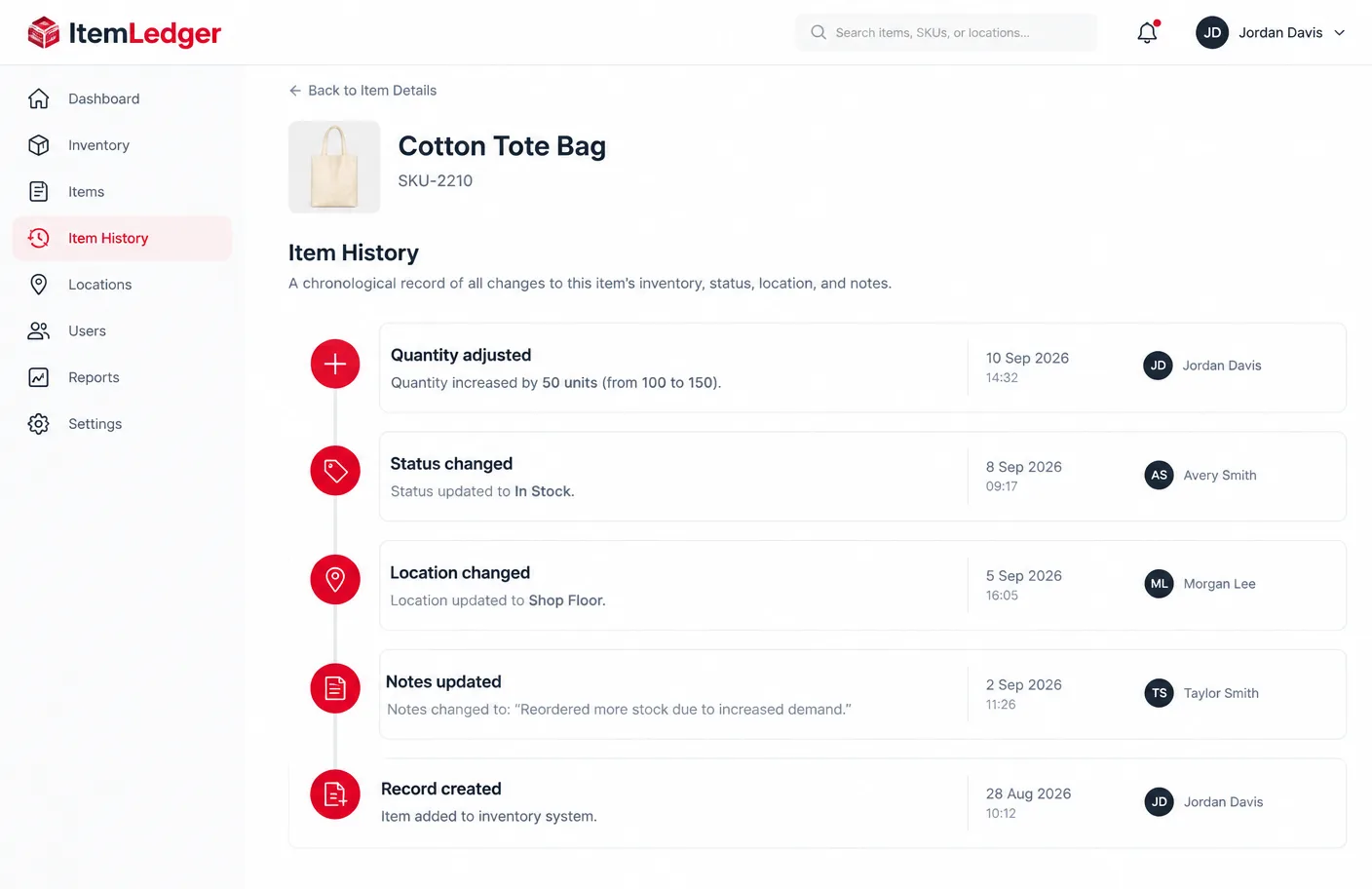
A timeline of quantity adjustments, status changes, location changes and note updates.
Illustrative software preview · fictional demonstration data
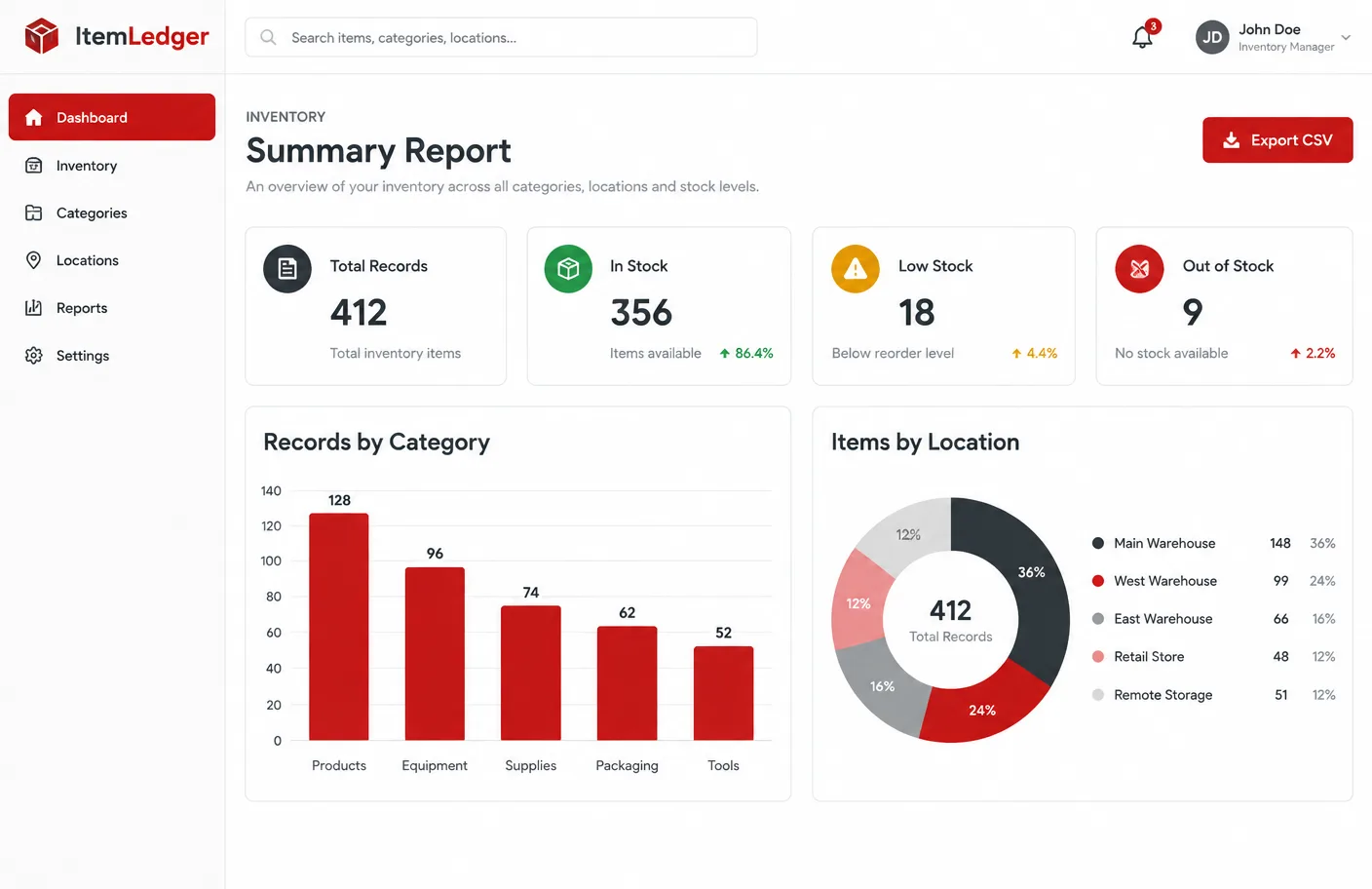
Totals by status, category and location based on the records you enter.
Illustrative software preview · fictional demonstration data
Item records
Every item record follows the same structure, so the details you need are always in the same place.
Quantity tracking
Record each change as it happens: the adjustment type, how many were added or removed, the reason and the date. ItemLedger does not claim automatic warehouse synchronisation.
Categories
Categories keep a growing item list manageable. Use the groups that match what you hold.
Locations
Assign each item a location so stock is easier to find and count. ItemLedger records named locations; it does not provide GPS tracking.
Stock status
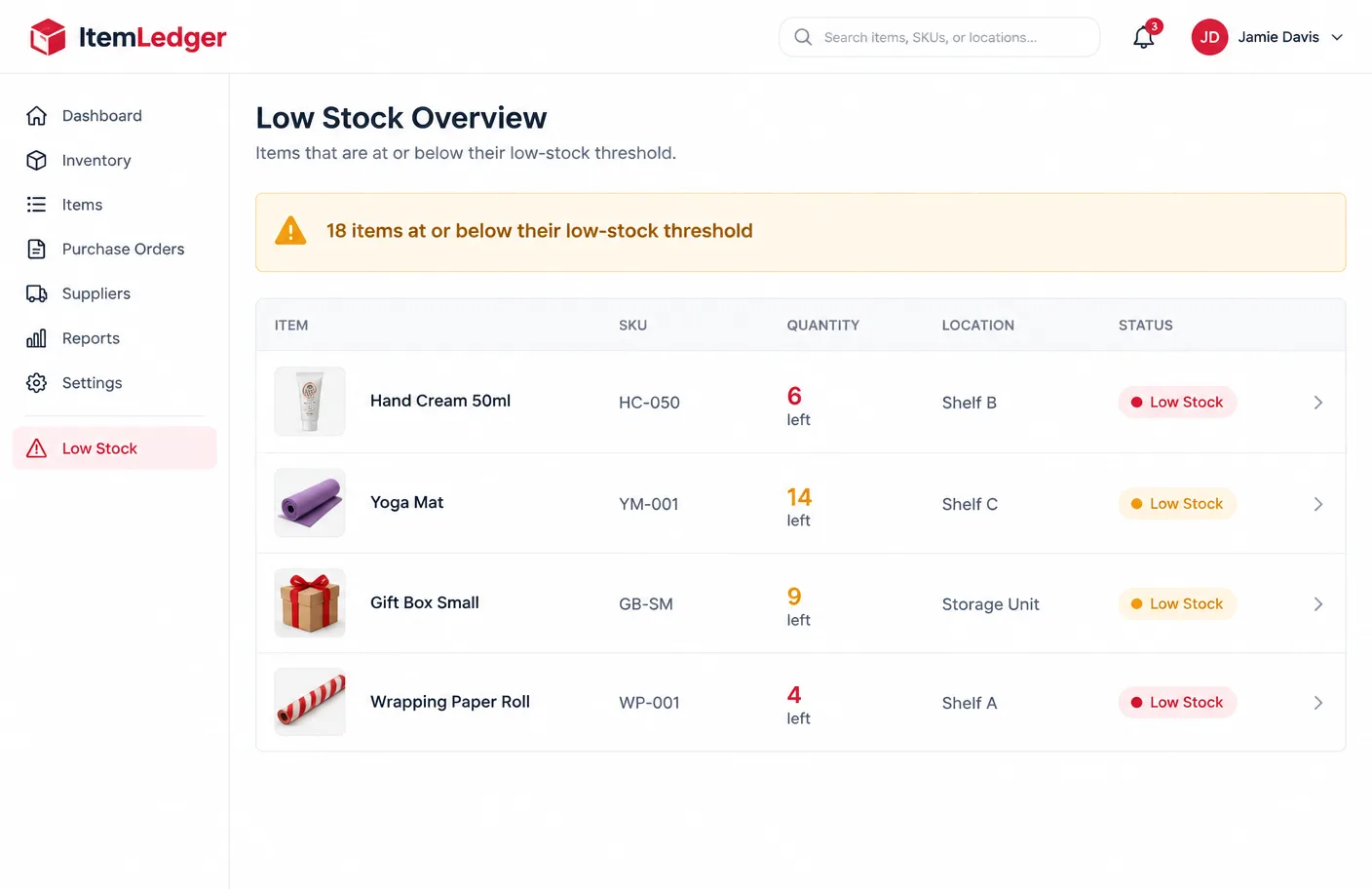
In Stock means available. Low Stock flags items at or below their threshold. Out of Stock records none remaining. Reserved marks items set aside. In Use covers equipment currently in service. Archived keeps old records out of the way while retaining their history.
Item history
Item history shows quantity adjustments, status changes, location changes and updated notes in one timeline, with user activity where supported.
Search and filters
Search and filtering tools are included according to your package.
Type part of a name to narrow the list.
Go straight to a known item.
Show one group of items.
Focus on low-stock or archived records.
See what is stored in one place.
Spot items running low.
Step by step
From choosing a package to reviewing your first organised inventory.
Read the limits and features.
Match users, records and locations.
Pay once through secure checkout.
Sent by email after confirmation.
Set up the groups you need.
Enter names, references and details.
Record what you currently hold.
Note where everything is stored.
Log stock changes as they happen.
Check summaries and histories.
Who it is for
Designed for sole traders, freelancers and small businesses in the UK that manage products or equipment.
Product records, quantities and shop-floor stock.
Internal stock records independent of sales platforms.
Equipment, supplies and materials in one place.
Larger item lists across categories and locations.
Equipment, materials, props and consumables.
Tools, replacement items and operational equipment.
Registers of kit, where it is and its status.
Shared records across permitted users.

Pricing
Seven packages are available. Every price is a single GBP payment with no automatic renewal.
For individuals
£54 one-time
A straightforward inventory-record package for an individual business owner who needs to organise a smaller number of products, materials or equipment items.
One-time payment · No automatic renewal · Secure Stripe payment on this site
Popular choice
£129 one-time
A professional inventory package for small businesses requiring larger capacity, broader categorisation and structured item-history tools.
One-time payment · No automatic renewal · Secure Stripe payment on this site
Complete package
£675 one-time
A comprehensive one-time inventory software package for established small businesses requiring larger item capacity, multiple locations, advanced organisation and structured onboarding.
One-time payment · No automatic renewal · Secure Stripe payment on this site
Why ItemLedger
Pay once for a defined package.
Users, records, categories and locations stated up front.
Nothing renews monthly or annually.
Consistent fields for every item.
Additions and removals recorded with reasons.
Know where items are stored.
Find records quickly.
Instructions follow confirmed payment.
ItemLedger is independently owned and operated by Sagar Kaliraj as a sole trader in the United Kingdom.
Payment
ItemLedger packages are purchased through one-time payments. The listed packages do not automatically renew monthly or annually.
A single price for your package.
No recurring charge is set up.
All prices in pounds sterling.
Users, records, categories and locations stated.
Access or setup information by email.
Card details handled by Stripe.
After purchase
Your successful payment is verified.
The selected package is checked.
Digital access or setup information is sent.
Setup guidance starts where included.
Included support becomes available.
Requirements outside the package can be quoted separately.
Insights
Plain-English guidance, written for small businesses.
A simple routine for keeping item records accurate without extra admin.
Read article →A short set of categories that describes what you hold without confusion.
Read article →Know where everything is, from stockroom to vehicle.
Read article →FAQ
ItemLedger is digital inventory and item-record management software for sole traders, freelancers and small businesses.
No. Every listed package is a one-time software purchase.
No. There is no automatic monthly or annual renewal.
Your payment is verified, the selected package is reviewed, and digital access or setup information is sent to the email address used at checkout.
Between 150 and 40,000, depending on the package. The exact figure is shown on each pricing card.
ItemLedger maintains internal stock records and does not claim live synchronisation with external sales platforms, marketplaces or warehouse systems.
Compare ItemLedger packages and choose the capacity that matches your items, users and inventory requirements.